
Product Update: New Legal Entity Endpoints and Field Manager
Learn more about the new Legal Entity endpoints in the Kooltra API and Field Manager, coming in Q4 2026, which bring the KYC and AML data you already collect into Kooltra without manual re-entry.
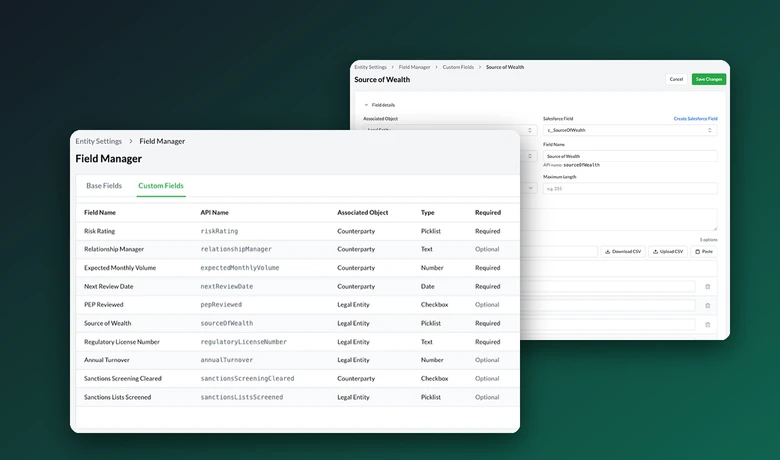
| What's new | New Legal Entity endpoints in the Kooltra API, which let you send KYC and AML data for your counterparties into Kooltra over API, and Field Manager, which lets you define your own fields and picklists on legal entities. |
|---|---|
| Who it's for | Compliance, operations, and engineering teams at financial institutions, money services businesses, and payment companies that already collect KYC data in their own systems. |
| What it unlocks | Kooltra's onboarding, transaction monitoring, and regulatory reporting, including FINTRAC reporting, with no manual data entry. |
| Availability | Coming in Q4 2026. Reach out to learn more. |
Many financial institutions already collect KYC and AML data on their clients in their own onboarding forms and compliance tools. Using that data in Kooltra's compliance workflows has typically meant entering it again by hand.
Coming in Q4 2026, new Legal Entity endpoints in the Kooltra API and Field Manager are designed to remove that step.
What's new in the Kooltra API?
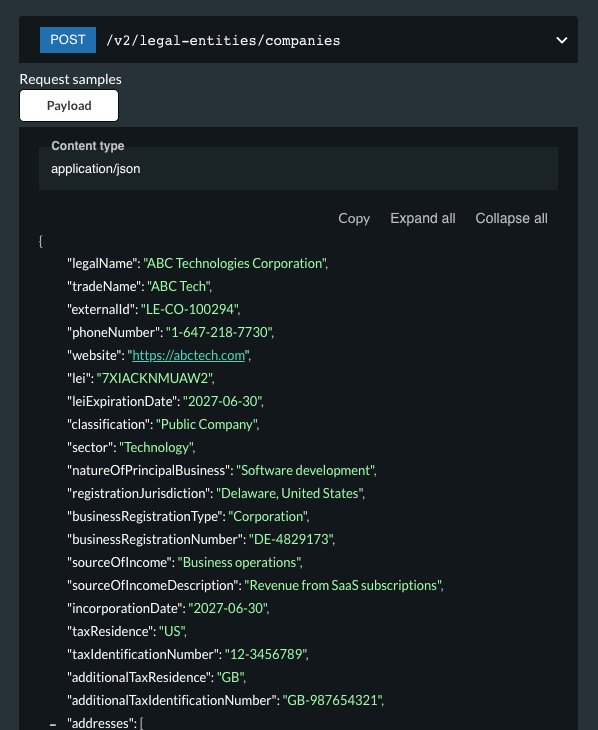
New Legal Entity endpoints in the Kooltra API let you securely pass the KYC and AML data you hold on your counterparties and contacts into Kooltra over API. Once it's in Kooltra, you can use it across onboarding, regulatory reporting such as FINTRAC reporting, and other compliance workflows, without anyone retyping it.
To see how Kooltra's API works, explore our API documentation.
What is Field Manager?
No two compliance programs collect exactly the same data. Field Manager lets you define custom fields on legal entities and counterparties and manage them yourself.
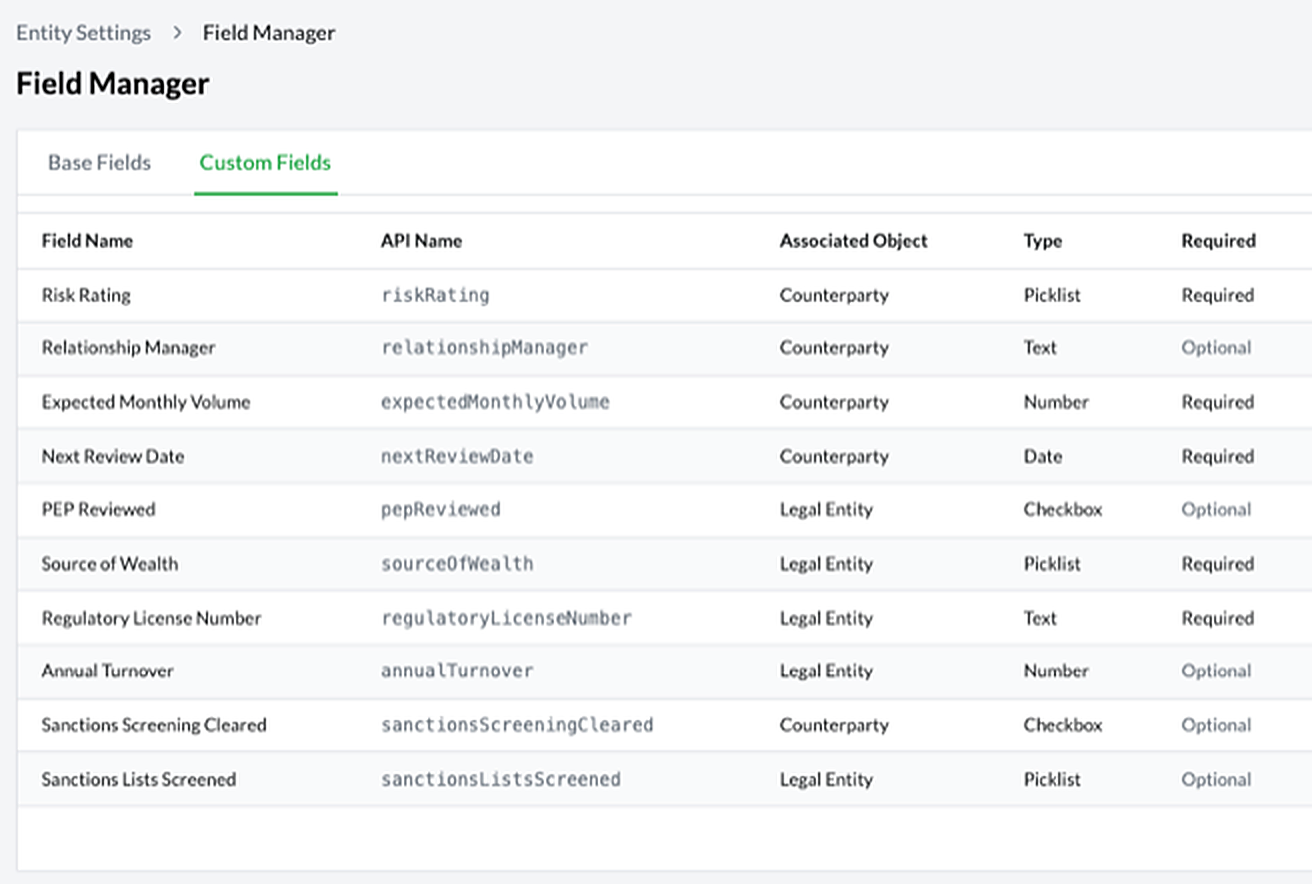
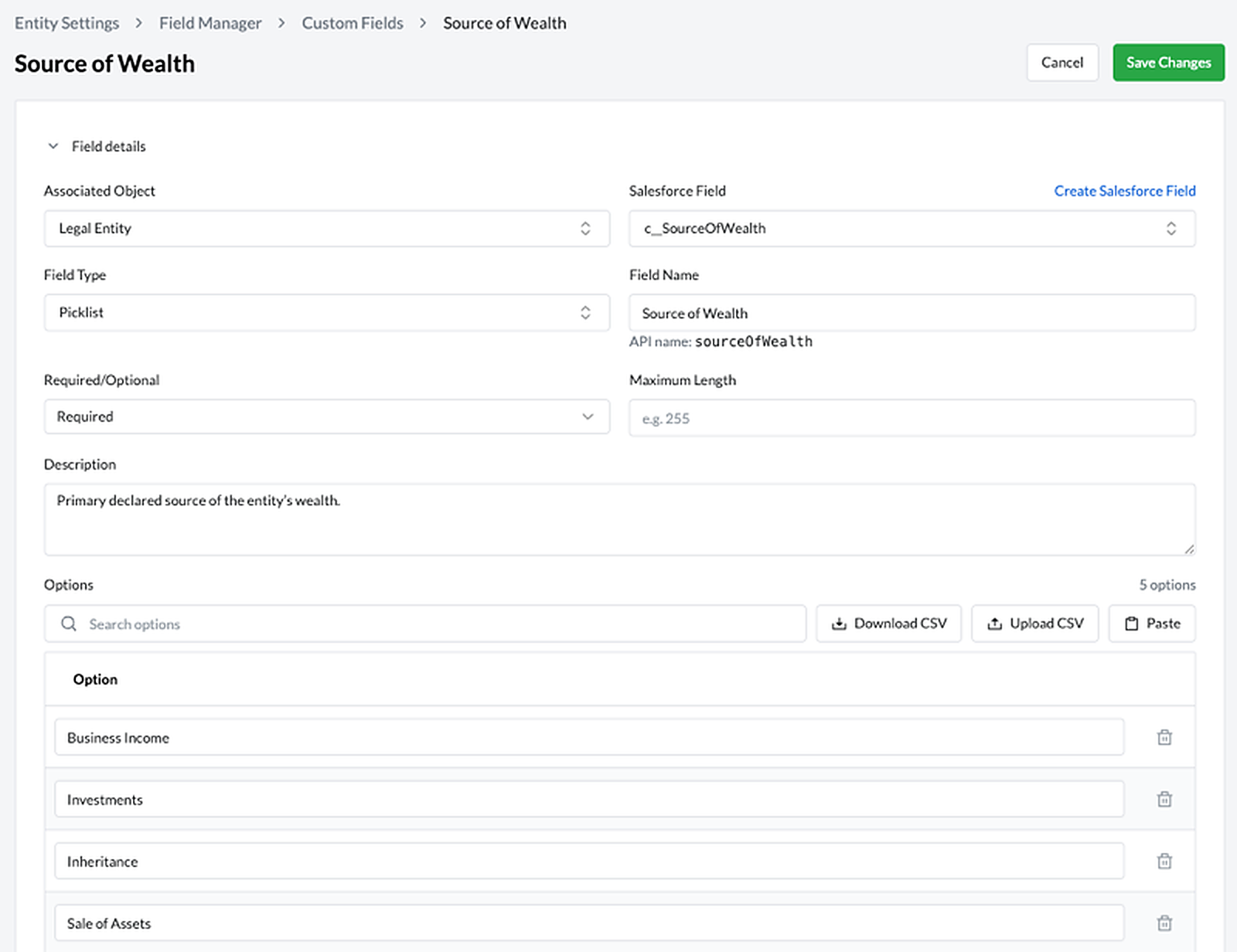
- Choose the field type. Types include text, number, date, checkbox, and picklist.
- Set the rules. Mark each field required or optional and add a description so your team knows what it's for.
- Use it in the API right away. Each field gets an API name you can use in your Legal Entity requests.
- Custom picklists. Set your own picklist values so onboarding can reflect the requirements of each region you operate in. Manage the options in bulk by CSV.
- Custom fields in the API. Include custom fields in your Legal Entity requests to carry KYC and AML data that isn't part of Kooltra's standard data model.
How do they work together?
- Your client is onboarded in your own system, with your own forms and process.
- Your system sends the client's KYC and AML data to Kooltra through the new Legal Entity endpoints, including any custom fields you've set up in Field Manager.
- Kooltra uses that data for transaction monitoring, regulatory reporting, and other compliance workflows, without anyone re-keying it.
What can you do with it?
- Use Kooltra for regulatory reporting without changing your onboarding. Keep your current onboarding process and send Kooltra the data it needs to report to FINTRAC.
- Run your own onboarding forms and workflows. Design onboarding outside Kooltra and sync the results through the API.
- Keep your compliance process and add Kooltra's monitoring and reporting. Send the fields Kooltra needs while your existing compliance tools stay in place.
- Handle different regional requirements. Use custom picklists and fields to capture what each jurisdiction asks for.
Why it matters
- Enter data once. Less manual entry means fewer errors.
- Start where you need to. Begin with one workflow, such as FINTRAC reporting, and expand from there.
- Keep the systems you already run. Your onboarding and compliance tools stay in place, and Kooltra receives the data it needs.
Frequently asked questions
Do I need to use Kooltra's onboarding to use its FINTRAC reporting?
No. With the new Legal Entity endpoints, you can keep your existing onboarding process and send Kooltra the data it needs for reporting.
Can I send data fields that Kooltra doesn't have out of the box?
Yes. Use Field Manager to add custom fields, then include them in your Legal Entity requests.
How is the data secured?
Data is passed securely through Kooltra's API. To learn more about how Kooltra protects customer data, visit our Security page.
When will it be available?
The new Legal Entity endpoints and Field Manager will be released in Q4 2026. Reach out to our team to learn more.
How does this relate to FINTRAC's Gen-2 EFT reporting?
They work together. Our Gen-2 EFT reporting release connected Kooltra to FINTRAC's API. The new Legal Entity endpoints make it easier to get the counterparty data those reports need into Kooltra in the first place.
Ready to connect your KYC data to Kooltra? Explore our API documentation or book a call with our team to learn more.

SUBSCRIBE TO OUR CONTENT


.png)